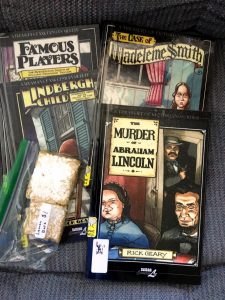
Library book sale

My local library is having a book sale soon, so I’m spending some time this morning gathering up some dusty old paperbacks to get rid of. This turned into more of a project than I thought it would be, since it got me thinking about a bunch of book series that I started but never finished, and whether or not I actually want to finish them. (And if I do want to finish them, do I want to hang on to the dusty old paperbacks, or just get the Kindle version whenever I’m actually ready to read them?) I thought this might make a semi-interesting blog post, so here are some thoughts on all that.

Myth Adventures

This is a fun series that I started reading a long time ago. I’ve read (and own) the first seven books, and have the next three in paperback, but never got around to reading them. For this one, I’m definitely donating the old paperbacks, and keeping the unread ones. I look forward into jumping back into this at some point; it’s a lot of fun. (wikipedia / goodreads)

Ender’s Game

I read the first two books in this series a long time ago, in paperback. I liked both, and bought the next four. This one gets a little confusing, since I think that what I actually have is the first four books of “The Ender Quintet” and the first two of the “Ender’s Shadow” series. I considered just donating all of these, including the unread ones, since Orson Scott Card’s political/moral views don’t quite match up to mine. But he’s not (as far as I know) so horrible that I shouldn’t read his work at all.  So I’m hanging on to the unread paperbacks, and I might (or might not) read them. I can always donate them next time (or just toss them in the recycle bin). (wikipedia / goodreads)

Nero Wolfe

I started haphazardly picking up and reading Nero Wolfe paperbacks a few years ago. I haven’t read one in a while, but I do love them. Both the characters and the setting are really “my thing,” for lack of a better term. I really like reading about New York City in the 30s for some reason. Nero Wolfe stories, of course, can be read in any order, so I’m not making any attempt to read them chronologically. I’m going to donate the few paperbacks I have; I’ve got them all recorded in Goodreads, so I don’t have to worry about accidentally re-purchasing ones I’ve already read. (wikipedia / goodreads)

The Dark Tower

I bought the first four books in Stephen King’s Dark Tower series several years ago. I had never read any Stephen King, but I’d heard so much about this series, I thought I should give it a try. I found the first book, The Gunslinger, almost unreadable. I put it aside after reading about half of it, then picked it up and finished it a year or two later. Then, I started the second book. I didn’t make it very far into that one before putting it back down. For a while, I held onto the idea that I’d give it a try again at some point, but I think it’s finally time to admit defeat. This series just isn’t for me. I’m donating all of my Dark Tower books, including the unread ones. (And I haven’t seen the movie either. That got pretty bad reviews, and I’m pretty sure I wouldn’t like it.) If I ever change my mind, these books are easy enough to find. (wikipedia / goodreads)

Other Stuff

I also donated some Spenser books and Adam Dalgliesh books. I don’t have much to say about those though. I liked reading them, but I don’t remember much about them. I’m sure I’ll read more Robert Parker and P. D. James at some point.

And I looked at my stack of Dresden Files paperbacks, but decided to hold onto them for a while longer. I don’t have a good reason for that. I’m probably not going to re-read them any time soon. I do like the series a lot. I’ve read the first eleven books, and plan on reading the rest. (At least the main novels. I’m not sure I want to worry about the various short stories, comics, and stuff.) I think I might stop buying them in paperback though, and switch to buying the Kindle versions.


sorting photos with Python

As part of my MacBook replacement project, I wanted to get a good new backup of my photo library. Photos.app stores photos in a database, not individual files, so if you want a “plain old JPEG” backup of your library, you need to export the photos from Photos.app. There are various ways to do this, but the way I chose left me with a folder full of subfolders organized by “moment name,” so a typical subfolder would be named “Somerville, NJ, May 27, 2018” for instance. That’s kind of a mess, since the folder names sort alphabetically. (And the folder dates are all set to today. Setting the folder dates to the date the photos were taken would solve some problems, but let’s ignore that for now.)

To impose some rudimentary organization on this, I wanted to make a top-level folder for each year, and move all the subfolders for that year into that folder. Not perfect, but at least it gets me from having one folder with 2000 subfolders to 10 folders with 200 subfolders each (approximately), which is a bit more manageable.

I looked around at various ways to do this, and settled on writing a quick Python script, which is shown below. I haven’t written a Python program in years, so this probably isn’t elegant Python. But it works. I’m posting it here in case it’s useful for anyone else. (I first learned Python back in 2003, and have used it on and off since, but never regularly.)

I had also looked for third-party utility programs that would allow me to export from Photos with more options than Photos itself allows. I found an old MacStories article from 2012 that talked about exporting from iPhoto to Dropbox using a tool called Phoshare. I had hoped that maybe Phoshare had been kept up to date, and worked with Photos, but nope. It was last updated in 2012.

I feel like there’s probably some interesting stuff I could do with Hazel too, and/or ExifTool, but I didn’t want to over-complicate things. And I also feel like there’s probably a third-party app out there that would make this much easier, but I didn’t find one that did exactly what I was looking for.

# sort_photo_bu.py
# ajh 2018-05-27
# sort Photos app export into folders by year.
# Export from Photos with subfolder format "moment name". 
# We assume the moment name always ends with the year.
# (Note that this may throw a "destination path already exists" error at some point, but that's probably fine.)

import os, shutil, sys

bupath = "/Users/andrew/Pictures/backup20180527"
for (root, dirs, files) in os.walk(bupath):
    for dirname in dirs:
        if len(dirname) > 4:
            year = dirname[-4:]
            yearpath = bupath + "/" + year
            if not os.path.isdir(yearpath):
                print "Making folder for " + year + "..."
                os.mkdir(yearpath)
            origpath = bupath + "/" + dirname
            #print "moving %s to %s..." % (origpath, yearpath)
            shutil.move(origpath, yearpath)
            #sys.exit()
print "All done."

MacBook Air migration

I’m just about done setting up my new MacBook Air. I hit a few bumps, but I think everything has worked out in the end. My initial plan was to restore from my most recent Time Machine backup with Migration Assistant. But that didn’t work out, for a variety of reasons. So instead I just dragged and dropped the files I needed from Time Machine to the new Mac. That took a while, but went smoothly enough.

Buying this MacBook Air was a bit of a compromise. For the most part, it’s at least as good as my old MacBook Pro (and better in some ways), but it only has a 256 GB drive. (The Pro had 512 GB.) I could have gone with a 512 GB drive on the Air, but it would have added about $300 to the cost, which I couldn’t really justify.

After getting rid of all the movies and TV shows I had on the old laptop, I’ve managed to fit everything else from the old drive onto the new one, with about 40 GB free. I have some other old files I can get rid of too, so I should be fine for the time being.

I’m trying to avoid the option in macOS to store documents in iCloud Drive. First, I don’t want to pay for iCloud Drive storage. And second, I don’t really trust it. There are other things you can do to free up space on a Mac, and I’ve reviewed those.

I’m currently syncing my entire OneDrive account to the Mac. That’s about 40 GB. I could probably turn off a few folders there to save some space.

I’m also toying with the idea of throwing a 256 GB SDXC card into the card slot, for additional storage. Those can be had for about $100. I really don’t need one yet, but it’s something I’m considering.

I’m a little annoyed that I don’t have a CD/DVD drive on this thing. I wasn’t really using the drive on the old MacBook that often, but I did get some use out of it. I’m going to have to do all my disc burning on my desktop PC from now on.

There’s one cool feature that works on the Air but never worked on the old Pro: unlocking it with my Apple Watch. (I was never sure if it was supposed to work on the Pro, but it definitely didn’t.) It’s a pretty minor thing, but it’s nice.

I still have a few minor things on my setup checklist, but the machine is functional now. I want to make a full backup with Carbon Copy Cloner soon, then set up a new Time Machine backup. And I need to pull the SSD from the old MacBook, recycle the machine, and repurpose the SSD, assuming it’s still good. (I may actually use it as a new boot drive for my desktop PC, since I only have an old-fashioned hard drive in there. That’s a project for another day.)

new MacBook Air

I have now officially given up on my old MacBook Pro and bought a MacBook Air. I’m not entirely happy about this, but it seemed like the path of least resistance. Giving up on macOS altogether was somewhat tempting, but the more I thought about all the stuff I’d have to do to accomplish that, the less enthusiastic I was. And replacing the MacBook with a Mac Mini was also somewhat tempting, and would have been cheaper than the Air, but then I started looking at KVMs and thinking about other factors, and decided against that too.

When I saw that B&H had the MacBook Air marked down to $999 ($200 off), I decided to go with that. It’s an imperfect solution, since it’s only got a 250 GB drive (vs 500 GB in the old MacBook), but it’s better (for my needs) than the current crop of MacBooks and MacBook Pros. The keyboard is the old-style one (same as my old MacBook) and it has a few useful ports (unlike the newer MacBooks). Here’s the specific model that I bought. (One improvement over my old machine is that it has 8 GB of RAM vs. 4 GB on the old one, so that’s good.)

I’m currently setting it up, which is going to be a slow process, I think. I want to restore it from Time Machine, using Migration Assistant. But it won’t let me do that until I’ve updated it to the latest version of macOS. Which is apparently won’t let me do until I install some other updates first. So that’s going to take a while. The Time Machine backup is from May 9, which is probably ok. Most of the data on the Mac that changes frequently is in OneDrive, so that will get pulled down from there.

Once that’s done, it should be smooth sailing, I hope. (And if Apple announces new MacBook models at WWDC in June, I’m going to be really annoyed. Unless they’re new models that I wouldn’t be interested in anyway.)

probably giving up on my MacBook

I think I’ve gone from worried about my MacBook to “almost ready to consign it to the scrap heap.” I’m pretty sure the hard drive cable has gone bad again, and that’s fixable, but it would be a pain, and the laptop is five years old.

I just spent some time poking around on Reddit and other sites looking at options for a new MacBook. The MacRumors Buyer’s Guide page for Macs is not looking good right now. (Everything I’m interested in gets a “don’t buy” rating.) WWDC is only a few weeks away, but there probably won’t be any hardware announcements there (at least not for Macs).

Since I’m leaving on a business trip today, I’m going to put off making any big decisions on it, but I think I have a few options, none of them perfect:

  1. Go ahead and buy a new or refurb MacBook or MacBook Pro, and take my chances with the butterfly keyboard. (Or find a refurb with the previous keyboard.)
  2. Get a refurb Mac Mini, so I have a working MacOS machine, at least. Then, over time, figure out if I want to move all my stuff over to Windows so I don’t need MacOS anymore, or if I want to get a good new Mac at some point in the future (after they’ve gotten past the butterfly keyboard issues and/or finally updated the Mac Mini line).
  3. Just “rip the band-aid off,” as it were, and give up on MacOS entirely. Buy myself a Surface Book or a new ThinkPad or something like that.

Like I said, none of those options are perfect. My current Windows laptop is still my ThinkPad from 2011. (Which has been solid as a rock, for the most part.) It’s starting to show it’s age now though. The battery life isn’t great. It’s running Windows 10 reasonably well, but I feel like it’s going to hit a wall on that at some point.

Worried about my MacBook

My MacBook has done a fair bit of random crashing today. I’ve had it since 2013, and I’ve had problems with it before, so it wouldn’t be surprising if something serious has actually gone wrong with it. I just reset the NVRAM/PRAM and ran OnyX on it, and it’s been OK since. (I’m using it to write this blog post, so we’ll see if it holds together or crashes again…)

I’m not opposed to the idea of buying a new one, if there was a new MacBook model that I was actually interested in, but there’s not. I really don’t want to buy one of the ones with the questionable keyboards, since I use the keyboard a lot, and really need a good one. So I guess that rules out… all of the current MacBook and MacBook Pro lineup? Maybe the MacBook Air still has a good keyboard? I’m not even sure. I’d be willing to give up on portable Macs entirely and just get a Mac Mini, but that thing hasn’t been updated since 2014 and isn’t really a good deal, compared to, say a nice Intel NUC.

I’d hate to give up on Macs entirely, but I’m starting to think about it seriously. I guess my “punt on the Mac” plan would probably be to get a low-end refurb Mac Mini and keep it around just for stuff that I can’t do on a PC, while gradually trying to get off the platform entirely. Or maybe just use the Mac Mini to tide me over until Apple gets their act together and releases a good MacBook and/or new Mac Mini.

I’m going to be at Microsoft HQ in Redmond next week for a training workshop, so I may start drinking the Microsoft kool-aid even more that I already am. Which could lead me into an unplanned Surface Book purchase. (This is assuming that their keyboards are better than Apple’s. I’ll need to do some research on that…)

Learning Statistics

I’m starting to read a book on statistics, and this is from the beginning of the chapter on probability:

If you are reading this book as part of a course in statistics, then you are likely pursuing a degree in higher education. On the other hand, if you are reading this book simply out of enjoyment, then you are crazy. That is one thing we can be certain about.

I guess I’m crazy. Oh well. It’s a pretty good book so far, though I think I’m going to need more to really get going.

I started thinking about learning more about statistics and data analysis recently. It ties in a bit with my attempt to learn how to use Power BI. I have all the basics of Power BI down now, meaning that I can import data and make fancy-looking pie charts and bar graphs, and now I’m poking at the edges of more meaningful data analysis.

It’s kind of hard to figure out where to start with statistics and data analysis. I never took a course in statistics when I was in college, so I don’t really know much to begin with. I did read Larry Gonick’s Cartoon Guide to Statistics years ago, back in the 90s I think. I don’t really remember much about it; maybe I should reread it now.

The book I’m currently reading is meant as a college textbook (per the quote above), and isn’t really meant to stand alone. It purposely doesn’t talk about software tools at all; just the background concepts and a little math. I’m thinking about reading this book along with it, which includes some more practical stuff, using Excel as the tool of choice. (Both books are on Safari, so I can read them for free.)

Of course, as a programmer, I’d eventually like to get to a book that talks about statistics and uses a real programming language for the examples. So maybe Think Stats would be good; it uses Python, which I’ve used before (though I’m probably a bit rusty).

I see a lot of references to R when looking into data analysis and statistics. I know almost nothing about R, so maybe I should look at something like this book.

This is all sort of leading me into data science, which is apparently the sexiest job of the 21st century, according to Harvard Business Review. I’m not really looking for a new job, and definitely not a “sexy” one, but hey, it can’t hurt to learn a bit.

Day One outage

It might be time to stop using Day One. I last blogged about Day One in 2016, when they had released a new version and switched to their own proprietary sync system. I expressed some concern about that sync system at the time, but I did pay for the new version, and I’ve kept using it.

Well, they just recovered from a multi-day outage of that sync system, and part of their restore procedure accidentally assigned some journals to the wrong users. They’ve written a postmortem that’s fairly straightforward and transparent, so kudos to them for that. But that’s a pretty big issue, regardless, in a system that’s supposed to be used for private journaling. I still mostly use Day One for fairly boring stuff, so it wouldn’t be too embarrassing if someone else saw my journal, but I can imagine a lot of people keep some really personal stuff in there.

For anyone using their premium service, with end-to-end encryption turned on, this wouldn’t be a problem. (The accidentally shared data would be encrypted and unreadable.) But I’m still on their old “paid for the software” plan and haven’t switched over to the subscription plan. And, of course, a multi-day outage and security snafu like this makes me a little less likely to do so at any point in the future.

I may switch back to using an old-fashioned five-year journal next year. I filled up two of these, starting in 2007 and going through to about 2016, before switching to Day One. The main issue with the hard copy journals is that you can’t do a full-text search. Also, my handwriting is atrocious. (This Levenger one looks nice though.)

two funny Batman comics

A couple of recent Batman-related comics:

  1. Uncle Batman’s Vengeance Juice from Diesel Sweeties (also coffee-related, so covering my two main interests in life)
  2. Robins from SMBC (not coffee-related, but still good)

I think both of these are making a good point, but about half my “to be read” comic book pile right now is Batman-related, and I’m not ashamed of that.

Speaking of which, I might be reading the Batman and the Signal mini-series this weekend, since the last issue came out this week.