MacBook crash

The hard drive on my MacBook got messed up last night, somehow. It’s pretty much unusable at this point. Disk Repair won’t fix it, and I haven’t had any luck copying files off of it. I don’t have a recent backup, just the old drive from when I replaced the original drive with an SSD, back in December. I can boot from that drive, and see the files on the SSD, but I can’t do much with them.

I’m not sure what caused the problem, but I have a feeling that it might have something to do with removing Trim Enabler, and running “trimforce enable” on the drive, which I did a few days ago. The drive has been running reliably with TRIM enabled via Trim Enabler since December, and I don’t see why enabling TRIM with an OS command vs a third-party utility would be an issue, but maybe it is.

I’m a little embarrassed and mad at myself for not having a more recent backup. But, the way I work now, it’s actually not that big a deal. Most of the stuff I need from the Mac is in Evernote or Dropbox. I really don’t create any irreplaceable files that don’t wind up in the cloud one way or another. So I’ve been thinking through things, and I’m going to have to reinstall a bunch of applications, and re-download a bunch of Doctor Who audio files, but there’s really nothing that’s going to have been irrevocably lost. Still, I’ve had “backup my MacBook” on my to-do list since January, and I just never got around to doing it.

OS X El Capitan and third-party software

I’ve upgraded my iPhone and iPad to iOS 9, but I haven’t yet upgraded my MacBook to El Capitan, aka OS X 10.11. I use a few oddball bits of software on my Mac, so I like to make sure everything’s up to date and compatible before doing an OS upgrade.

For El Cap, I’ve found a few items I need to review and make some decisions on. First, Bartender, which is a nice little menu bar organizer, has a new version out, and it’s a paid upgrade. Version 1, which I’m using, is compatible, but it would be better to upgrade to version 2, since v. 1 requires you to jump through some hoops to get it working in El Cap. The upgrade price is only $7.50, so I’ll probably get that.

TotalFinder is a Finder add-on that I’ve used for years. I’ve been using it for so long that I’m not even sure what the regular OS X Finder looks like. But I guess I’m going to have to find out soon, since TotalFinder isn’t quite compatible with El Cap. You can get it running, by turning off System Integrity Protection, but the developer doesn’t recommend that, and he’s not going to keep actively developing TotalFinder anymore. He’s recommending a few alternatives, such as Commander One, which is a separate file manager and doesn’t plug in to Finder. There’s a free version, and a paid “pro” version. I may consider it, after seeing whether or not the plain old OS X Finder is good enough for me. I know Apple has enhanced it a lot since I started using TotalFinder.

I’ve been using a little program called Trim Enabler to enable trim on my SSD, since I replaced the drive in my MacBook a while ago. Why this is necessary is a long story, but now, it can apparently be done with the “trimforce” command at the command line, so Trim Enabler isn’t necessary anymore. But the company that released it now has a utility called Disk Sensei which might be worth buying, though it’s not necessary. I can buy it as an upgrade from Trim Enabler for $10.

TextExpander is compatible with El Cap, as far as I can tell. I paid for the upgrade to TE 5 recently, so I should be fine there. LaunchBar should be fine too. I installed the latest update for that last night. My preferred VPN client, Viscosity, is up to date also, and is probably compatible with El Cap.

And I think that about covers the oddball apps that do weird system-level stuff that’s likely to break with an OS update. I’m sure Firefox, Evernote, 1Password, and Microsoft Office are all going to be fine. They’re all actively maintained and up to date.

So I’ll probably try to clean up the issues noted above this weekend, then maybe do the El Capitan upgrade next week at some point. I should probably back up my hard drive too. Which reminds me that I need to update Carbon Copy Cloner too!

Goodbye, Instacast

I found out today that my podcast app of choice, Instacast, has been discontinued. It still works, for now, but I guess I should find a new app to use. I was actually thinking about trying a new app anyway, but had been too lazy to actually download and try anything.

I’ve been curious about Marco Arment’s Overcast, so I just downloaded that to my iPhone, and I’m going to give it a try. I’m seeing a few things about it that I already don’t like, but I’ll see if I can figure it out and get used to it. (There’s a good write-up on Overcast at The Sweet Setup.)

There were actually a number of things I didn’t like about Instacast when I first started using it, but over time I got used to it, and I think it worked pretty well for me, with a few little annoyances that continued to bother me.

Overcast made it very easy to set up an account, save the credentials for it to 1Password, and then import my subscriptions from Instacast, so that was quite nice. Once I had it set up, though, it marked all old podcast episodes as “played,” so it looks like I’m going to have to go in and manually download the stuff I hadn’t yet listened to in Instacast. I’m figuring out how to do that now.

I also recently signed up for Huffduffer, so I could easily download and listen to arbitrary episodes from podcasts I don’t regularly listen to. I’m thinking that might be easier to manage in Overcast than Instacast.

I think I’m going to try to start using Overcast tomorrow, during my morning commute. If it works well, I’ll delete Instacast and be done with it. If not, them maybe I’ll switch back to Instacast for a while until I can find something I like.

reading digital comics

This morning, I decided that I’d like to read the Dresden Files comic series that I bought as part of a Humble Bundle last year. I’m using Comic Zeal on my iPad to read DRM-free digital comics. I’ve been using it for a while, and it works pretty well.

Getting comics onto the iPad is, theoretically, easier than it used to be. In the old days, there weren’t too many apps that had good support for loading files into them from external sources. GoodReader was the first iOS app that I can think of that had good support for loading in files from multiple sources. But now, there’s a lot better support for this kind of thing, due mostly to the support for document providers added in iOS 8. So Comics Zeal now supports loading in files from iCloud, DropBox, Google Drive, and OneDrive (and possibly more, but those are the ones I’m using).

Humble also now has a web interface where you can access and download all past purchases. And Safari now lets you download and open files in specific apps, and Comic Zeal supports this. So my first thought was to go to the Humble site, sign in to my account, and download the comics. The series I want to read is a five-issue series and all five issues are separate files. So I went ahead and tried downloading the first issue from the web. It worked well enough, but it took a long time to download, and the default file name under Humble’s library is a bit weird, so I thought maybe I should try a different method.

So I booted up my desktop PC, where I know I already had the comics downloaded, and copied them up to my Google Drive. After waiting for them to sync up, I then tried to pull them into Comic Zeal. No dice. I could see them, but clicking on them did nothing. After struggling with that for a while I gave up and decided to sync them across the old-fashioned way, with iTunes File Sharing. That worked.

So, after all that, I just sat down and opened issue #1. The cover looks good. Then, I swipe to get to page 1. And… Comic Zeal crashes. Now, this is probably not Comic Zeal’s fault, entirely. All sorts of things could be wrong here; the CBZ file could have gotten corrupted at one of several stages. But it’s frustrating, either way.

So I downloaded the file again from Humble, and checked the MD5 checksums on both copies, and they’re both identical. And Humble lets you see the MD5 on their web site, and that’s the same too, so the file isn’t getting screwed up on download. So I gave up on the CBZ file and downloaded the PDF. Then I copied that up to Google Drive and tried to download it into Comic Zeal. That worked, so I guess the original issue with Google Drive is that it doesn’t want to let you download CBZ files, but PDFs are ok. (Which doesn’t make any sense, but ok.)

And I opened the PDF in Comic Zeal, and I can (at least) get to page one now, so here’s hoping I can get through the rest of the issue. Then, we’ll find out if the CBZ files for issues 2 through 5 are good, or if I’m going to have to replace them with PDFs too.

Oh, and the series I’m trying to read is War Cry, which should be pretty good. I haven’t read any Dresden comics before, but they’re co-written by Jim Butcher, and they’ve gotten generally positive reviews, so I’m hopeful.

But if I’d had the trade paperback instead of digital files, I’d probably be done reading the whole thing by now!
iOS Audiobook players

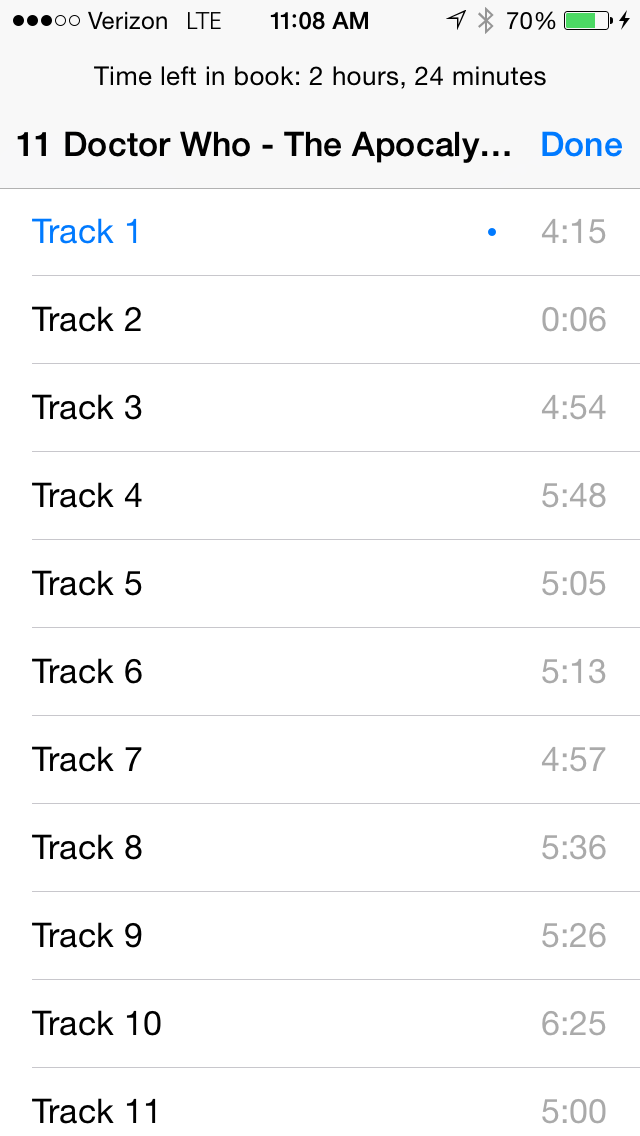
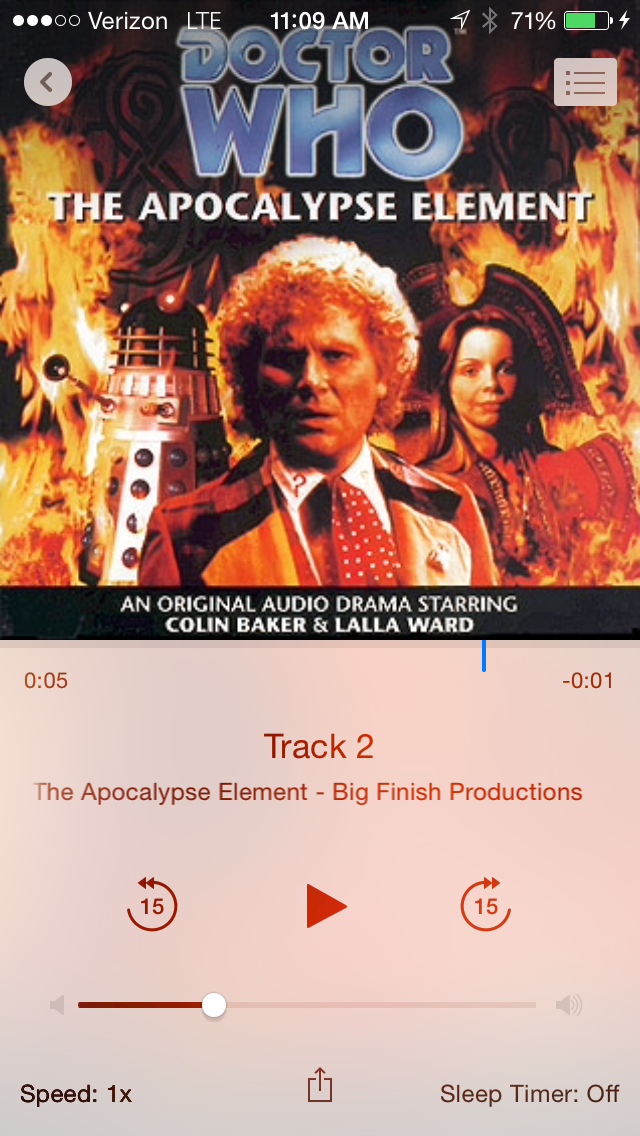
I don’t listen to a lot of audiobooks, but I listen to enough of them that I want to have a good audiobook player on my phone. On iOS, the audiobook features in the old music app were good enough that I never bothered looking elsewhere. But, since Apple moved the audiobook stuff into iBooks, there’s one issue that’s been bothering me. They don’t show actual track names anymore. They just show “Track 1”, “Track 2”, and so on. I don’t know why they did this. I can’t imagine something like this helping anybody. It just serves no purpose, and makes it that much harder to figure out where you are in a book. (See this thread on the Apple discussion forums for more complaining about this, and related audiobook issues.)

So I’ve been looking for an alternative audiobook app for my iPhone. Simple searches in the app store and Google didn’t turn up much in the way of good candidates. Book Mower looked the most promising. But I gave it a try and really didn’t like the user interface. I don’t know, it might work for some people, but it really didn’t work for me.

IMG_1332
iBooks track listing
iBooks user interface
iBooks UI
Book Mower user interface
Book Mower UI
Book Mower track list

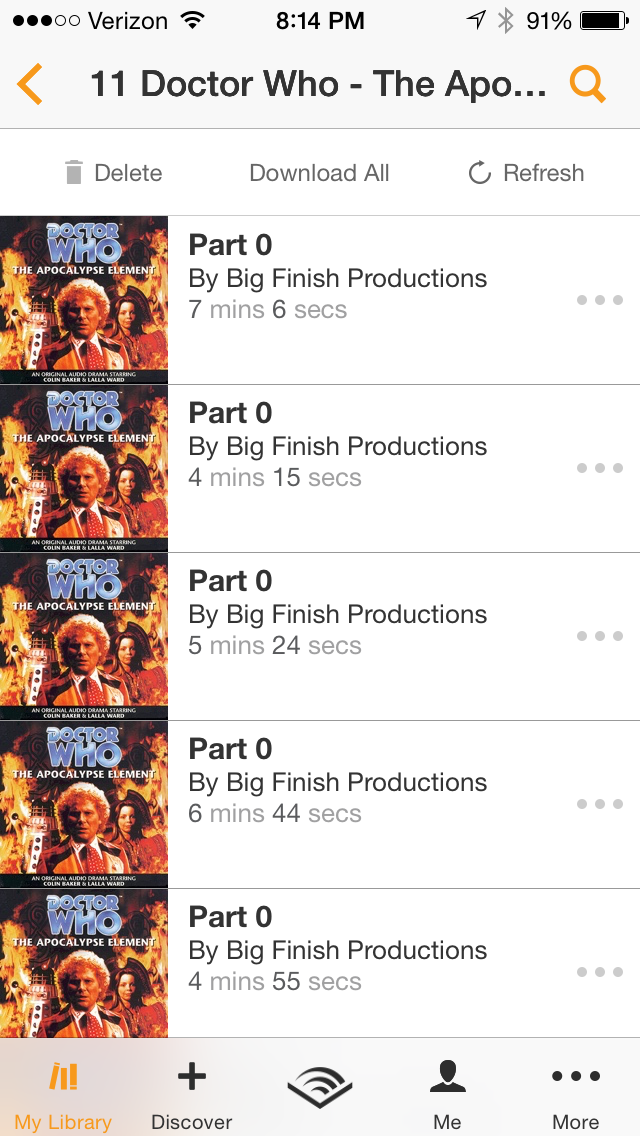
I also tried the Audible app, which does have the ability to play non-DRM’ed files, in addition to their own stuff. Most of the audiobook content that I have is in the form of DRM-free MP3 files that I’ve gotten either from Big Finish or that I’ve ripped from audio CDs. (Or copied from MP3 CDs.) The Audible app does show track names, but not always the right ones, and, for the books I was testing with, it showed the tracks in apparently random order. So that’s really a deal-breaker!

Audible track list
Audible track list

So, not having found anything really useful, I went a bit further afield. I found one thread suggesting an app named Ecoute, which is meant as a music player, but apparently works reasonably well for audiobooks too. And another thread mentioned Downcast, which is a podcast player, but might also work for audiobooks. I didn’t actually get around to trying either of those, but I might come back to them at some point.

Eventually, I got the bright idea to look at the Big Finish forums, since it seemed like this problem would also be affecting other folks who listen to their stuff. I quickly found this thread with a lot of gripes about the iBooks app. One of the folks posting in the thread mentioned that he was working on an audio player app that would work better for stuff like the Doctor Who dramas. He released it just recently. It’s called Undulib, which is an odd name, but that’s ok.

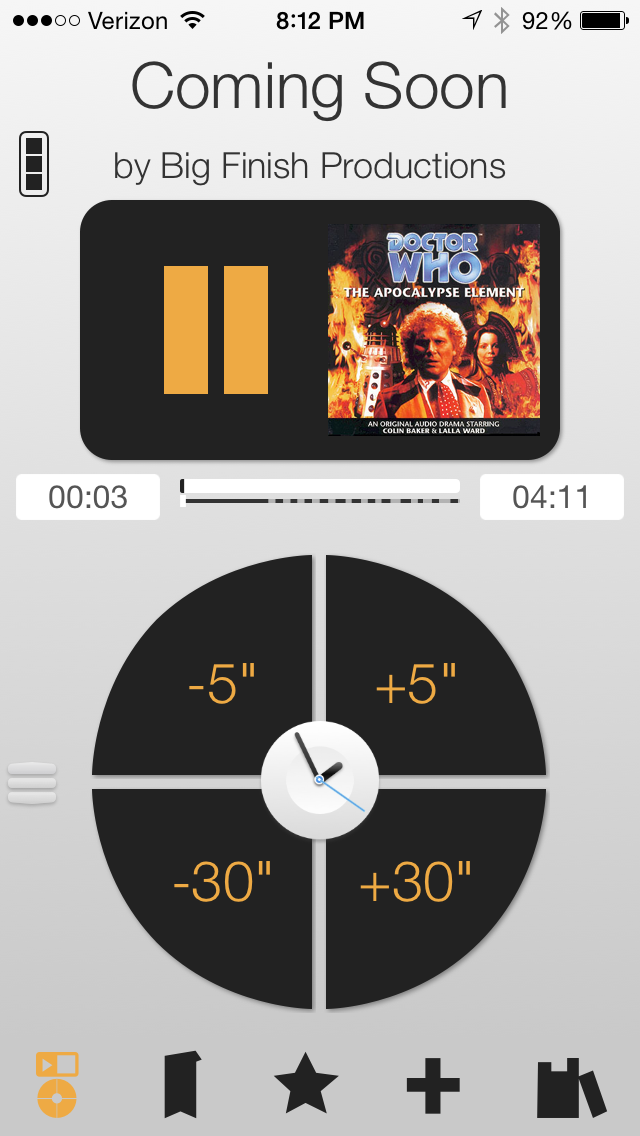
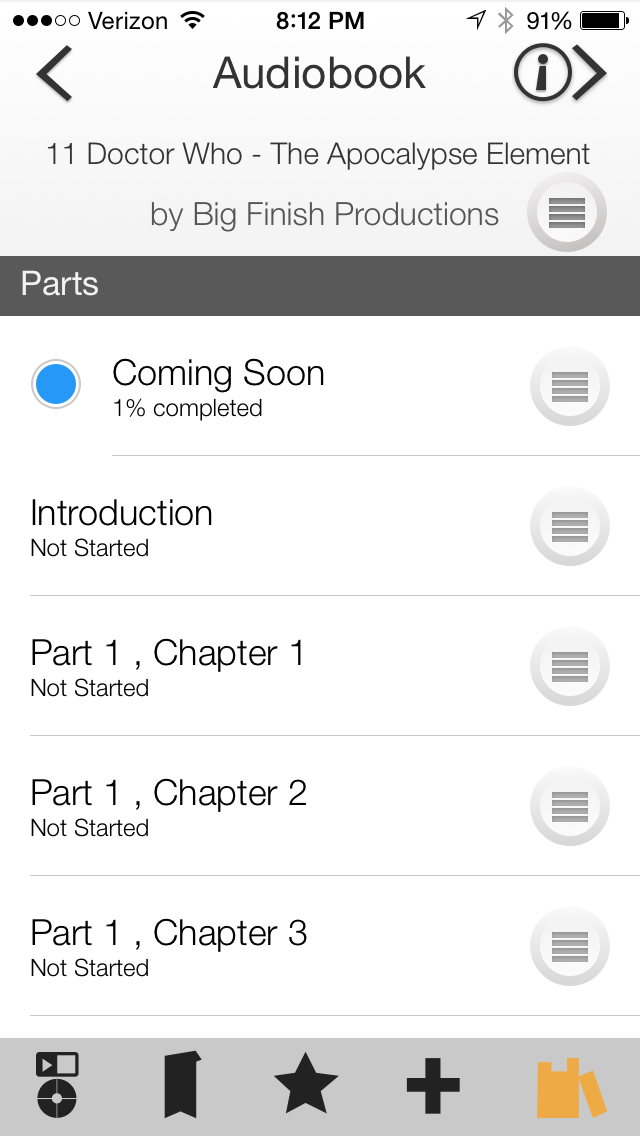
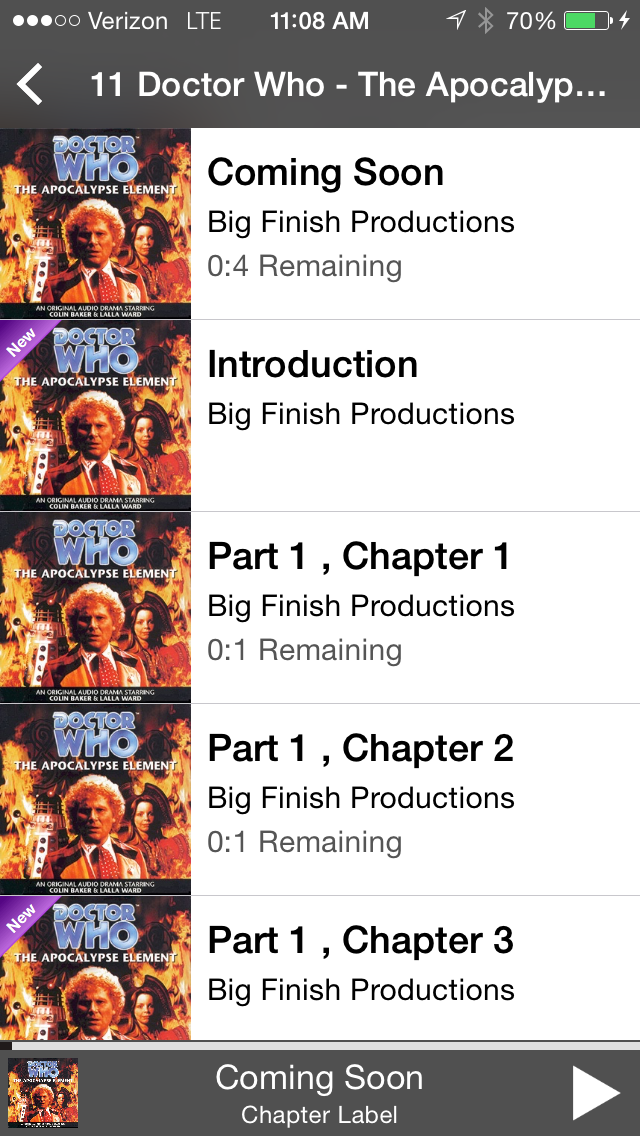
Undulib track listing
Undulib user interface
Undulib UI

I bought it and installed it, but I haven’t had much of a chance to use it yet. The track listing includes titles, which is the main thing. But the “time remaining” indicator is kind of weird. The app pulls in whatever audiobooks you’ve got in iBooks, so no problems there. I’m not sure if it updates the “last played” date (back into iTunes) like iBooks does, but it won’t be the end of the world if it doesn’t.

So now that I’ve spent so much time messing around with all these apps, I should really relax tonight and listen to a little Colin Baker adventure!

Trying out Blogo

So now I’m trying out Blogo, another Mac blogging tool. It’s kind of nice, but there doesn’t seem to be any option to view/edit a post in HTML; there’s only the rich-text WYSIWYG editor.

So I think maybe this would be a good tool for someone who didn’t want to get too fiddly and just wanted to stick to WYSIWYG editing. But I know I’m going to want to at least look at the HTML once in a while.

It’s kind of a shame that it doesn’t have HTML editing, since, otherwise, it’s got a really nice user interface. But, I think MarsEdit is more my speed, if I’m going to use a desktop editor at all.

trying out MarsEdit

I’m writing this post in MarsEdit, just to see if I like it better than the normal WordPress admin interface. So far, it works fine, but I’m not sure it’s that much better than just using the WordPress admin. I think maybe if I could memorize the keyboard shortcuts, it would be quite nice.

I’ll keep it on my Mac until the trial period runs out, at least, then make up my mind if it’s worth spending money on.

I’d heard of MarsEdit before, of course, but hadn’t really thought about it much lately. I was reminded of it when listening to MPU 264 with John Gruber. He uses MarsEdit with Movable Type, which I did not realize was still around and being used as a viable blogging platform. (Shows how little I know!) I’ve never been that interested in Gruber’s blog, Daring Fireball, but he does have an interesting history, and has been involved in some interesting work, so that episode of MPU was definitely worth listening to. And of course his big thing is Markdown, which the MPU hosts also love, but which I’ve never been able to talk myself into trying. I like the general idea, but I just haven’t been able to find a good use case for it, for myself.

Automatic car adapter, second gen

I bought an Automatic car adapter back in December. I thought I had written up a blog post about it, but I can’t find it now. So either I didn’t write it, or I spelled “Automatic” wrong in it, or something like that. Either way, it’s a somewhat useful little device that lets you track your car trips, gives you some feedback on your driving habits, and can show you the actual diagnostic codes when your “check engine” light comes on.

It connects to the iPhone via Bluetooth. The adapter I got worked fine for several months, but it started getting finicky lately. It frequently fails to connect to the iPhone. This, apparently, was a pretty common problem with the first-generation adapters. They came out with a second-generation adapter recently, which supposedly uses a more reliable form of Bluetooth, and also has some new features that the old adapter didn’t have. They didn’t offer much of an upgrade deal for existing owners: just the same $20 discount that you can get through any of their advertising deals (see sixcolors.com, for instance, which usually has a link for $20 off). Well, I really didn’t want to spend $80 on a new adapter, but I gave in today and ordered one. I’m hoping it will work reliably.

Hopefully, I can remember to write up a little review after I receive it and have a chance to use it for a while.

iTunes 12.2

I’ve got today off from work, since tomorrow is Independence Day. I really didn’t make any plans, so I’m sitting around at home right now just reading a book and messing around. I wanted to do some stuff in iTunes, but geez, the new version of iTunes is a mess. The audiobook section is messed up (none of the books show up in the “authors” view). And trying to get to the “apps” section locks up iTunes entirely, and I have to force quit it. Other people are reporting really major screw-ups with their music libraries, like having millions of copies of the same song randomly added to a playlist, and stuff like that. (Luckily, my music library seems to be fine, for now.) Here’s hoping they get a fixed version out soon. (And that they maybe learn from this and do a bit more testing next time?)

I guess I should turn off the computer and get back to my book. Or, better yet, go outside!

Apple’s big music announcement

There were some interesting things in this week’s WWDC keynote, including multi-tasking on the iPad, open-sourcing Swift, and transit directions in Apple Maps. But the Apple Music announcement probably got the most attention in the general-interest press.

The announcement prompted a few interesting articles, including this one from the Washington Post on how it stacks up against other streaming services, and this one from Mashable comparing it to iTunes Match.

I’m currently using Slacker Radio for most of my streaming, which isn’t mentioned in the Washington Post article. I have their lower-end $4/month subscription, which is similar to Pandora’s $5/month plan and includes ad-free streaming, with unlimited track skips, but no ability to listen to full albums or otherwise select precisely what tracks you want to listen to.

I’m not sure why Slacker doesn’t get more attention. Their $4/month subscription compares well to Pandora’s $5/month subscription, and their $10/month subscription compares well to Spotify’s paid service. They have some interesting “curated” playlists, plus content from ESPN and ABC News, if you’re into that sort of thing.

The other service I’m using is Google Play’s service that scans and uploads your music library, then allows you to stream it through the Google Play app. It’s similar to iTunes Match, but free, and has a higher limit on the total number of songs you can upload (50k vs. 25k). There are a few downsides to Google’s service, though. First, the program that scans your music library and uploads it doesn’t have much intelligence built into it. In addition to all my songs, it’s also uploaded a bunch of my audiobooks, and occasionally decides to stick a chapter or two into an auto-generated playlist. Second, I’ve found that the Google Play iOS app isn’t quite as nice about bandwidth usage (and battery usage) as Slacker is, so I’m careful about using it when I’m not on wi-fi.

I’m also occasionally using Amazon’s streaming music service that’s free with an Amazon Prime subscription. Their service, honestly, isn’t that compelling, but it’s free, and it allows me to stream full albums, so it comes in handy once in a while. Their selection isn’t as good as Slacker or Spotify, but there is some good stuff on there.

I don’t think I’m likely to sign up for Apple Music, given that I’m already getting enough music through Slacker, Google, and Amazon Prime, but it’s interesting to see what they’re doing.